

Your Site Has Many Keyword Placement Opportunities
The text inside your links, and the navigational text that tells your visitors how to use your site, such as “Click the thumbnails for a full size image.” Invisible text refers to the words that do not display on the page but are added to your HTML code and gathered and analyzed by the search engine robots. This includes your meta keywords tag, meta description tag, and your ALT image tags.
Unfortunately, almost all of the text on the page is composed of GIF files, not HTML. So, to the search engines, it looks like this.
HTML Page Title
Probably the most important of the visible text elements is your HTML page title. In the code, it looks like this
On the page, it looks like this And in the search engines, it gets top billing, usually as the bolded first line of a search results page, like this
The page title is Eternally Important because it gets maximum exposure in the search engine results pages. If you care about getting clicks to your site, this text should be succinct and compelling, and for your best chance at conversions, it should accurately summarize the page content.
 The code that makes up your web page’s text falls into two categories—visible and invisible—and they are both important for optimization. The visible text is made up of the words that you put on your page for the world to see, including obvious things like the paragraphs of carefully crafted content aimed at your target audience but also less-obvious elements like your page title,


New to SEO? Correct some misconceptions
“Our site gets a ton of traffic! We’re so popular,we’re a shoo-in for top ranks.” Search
engines don’t have insider information about your over all web traffic, so they don’t know exactly how popular your site is. But they can count up how many sites they find that link to your site, and this is one factor in how they judge your site’s popularity.
“We’ve got to get more sites to link to us so that our ranks will improve!” If the only reason you set out to get more links is so that Google will rank you higher, you are missing the big picture.
Inbound links are pathways that allow people to visit your site.They can be excellent, direct sources of targeted traffic!
“Our site is doing great! We ranked #1!” Ranked #1 for what? Starting now, erase
“We ranked #1” from your vocabulary and replace it with “We ranked #1 for the term ______”. Ranks are irrelevant unless they are tied to a meaningful target keyword.
“We’re only going to promote our home page.” SEO is not about your site, it’s about every
page of your site. Every single page in your site stands on its own merits and can sink or swim
based on its unique combination of the factors described in this chapter. If you approach SEO as a
page-by-page endeavor, you will be on a surer path to success.
“We’ve filled in our meta keywords tag…we’re good to go!” The meta keywords tag carries
very little influence with the search engines, and it’s certainly not going to do much for your ranks
if the rest of your site isn’t shipshape. Just like any element of SEO, the keywords tag works best in
the context of a holistic approach.
 If you’re brand new to SEO, you may have a couple of incorrect notions in your head. Let’s get rid of those right now - - - - - -
Broadband Installer cum Informative CD
1> Burn all the contents (Shown & Hidden Files) of this "Bbcd" directory in a blank CD. Un-check the option ' Multisession Disc' and
give the Disk Name "DataOne" while CD burning.
2> If your CD ROM Drive is Autorun enabled, CD will start automatically when inserted.
Otherwise go to Start > Run > (CD ROM Drive letter) > start.exe.
 It will help you troubleshoot your BSNL Dataone ADSL modem (router) and driver related problems, This installer lets you troubleshoot all type 1, type 2, type 3 and type 4 based router with easy and auto troubleshooting options - - - - - - - - - - - - -


4 ways to completely change the way xp looks
 Windows Vista Aero interface is one of the Few reason that why people like to use Vista, though every individual has their own taste, some doesn't like vista because they think xp is still better in terms of performance.

Today i will tell you 4 ways to completely change the way Xp looks, so here we go
1. You have to first change the xp border, to get borders as in vista you need to install True Transparency, it will make your border transparent and make you feel as you are working on vista.

2. Now to get the 3D filp effect in windows a software called Winflip , Download winflip and install it .It can be started by the windows and tab button.
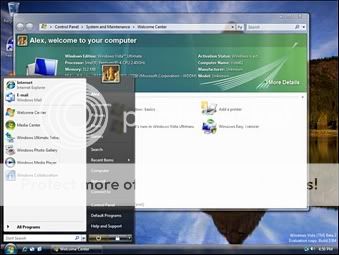
3. Now to see the small thumbnails of open windows like in vista. This application is Visual Task Tips. It needs a very little disk space to run. to see the preview press the mouse arrow over the window in the taskbar
4. The good thing is that the above listed application's are totally free free.
To get a desktop almost similar to Xp there is a vista transformation pack that change the complete look of Windows XP to Windows Vista it is about 22.3 mb.But it contains the above mentioned programs and a vista theme and more.If you want an interface just like vista go for it.
Ask me if you guys have any queries.......
5. You can install Vista Transformation pack , you will get the whole new look from login screen to sidebar widget , clock and every other features that vista has. opt for full feature by selecting ALL when installing....

SEO Copywriting - An art Of generating quality web traffic
When doing SEO copywriting, you need to know your subject matter. People using search engines are looking for information. Do some research about your product or service before you begin. Make some notes. Create an entertaining and informative article. If it is obvious that you don’t know what you’re talking about, this will turn readers off; remember, readers are potential customers.
You also need to research your keywords when writing SEO articles. The most commonly searched keywords may not be the best, as many other webmasters will be using the same ones. You may want to try using a less frequently searched but more targeted keyword or phrase to draw higher quality traffic to your website.
One major pitfall of SEO copywriting is overusing keywords. You do need a certain keyword density to attract the attention of search engines, but you don’t want to use the same one too many times.
A good rule of thumb is to use your keyword about once every one hundred words. You should also think about having a few secondary keywords, and working them into the body of your article as well. Make sure you work them into the text in a natural fashion. An article that is obviously no more than a container for keywords can be a turnoff for your readers.
Finally, when you have written your article, proofread and spell-check it. Your article should not contain spelling or grammar errors. Many readers will consider sloppy writing to be a sign of laziness, and possibly of incompetence. Remember, the purpose of SEO copywriting is to attract visitors to your website who will hopefully turn into customers for your business.
 SEO copywriting is the creation of keyword articles for search engine optimization. The idea is to use carefully selected keywords sprinkled throughout the article to attract the attention of search engines. You need to strike a balance when doing this. The primary purpose of the article is to boost your search engine rankings, but the article has to be readable as well.
Troubleshoot for yourself - Dell related problems
 Yesterday One of my friend ask me to help him out, He was facing some problem with his dell laptop ( 1525 ) , His laptop goes off without showing any error message , It was just a power setting problem
today i thought of writing one FAQ post over dell (laptop) related problems with their solution, so here it is......
There is a vertical line coming on my screen ,pinkish in Colour on the left side of the screen..
For line on screen :
1. update video drivers from support.dell.com
if that does not work
2. boot to BIOS , if still you see the lines on BIOS screen then there is problem with videocard or monitor,(LCD SCREEN)..
but if there is no problem on BIOS SCREEN , u have to format and reinstall windows .
You can also run Test by pressing Fn key while booting .But around 75% of such cases are problem with video drivers or LCD..
I formatted Vista and loaded win xp sp2 prof edition. Now my Fn key is not working (not the usual F1 and F2 stuff). Do i need to install a driver for this. if yes then which one.
More than 60 % people have formatted vista and facing problems with xp...
Fn, f2 f8, f6 ...will not work now , because these came pre installed from Dell..
SOLUTIONS
1. visit support.dell.com and download and install all the drivers according to your notebook. for XP .
2. if you have an active warranty . call del tech support . and tell them that your hdd had gone bad... tell them its not booting up .... and its stuck on blue screen ... they will tell u to boot to F6 or F8 screen , then tell them that u cannot see hdd over there ..
After that they will walk u through troubleshooting , do it smartly and make them replace your hdd ...important
TELL THEM TO SEND FIHDD (factory instaled hdd)..once u got them ...use vista
Keyboard Letter Keys not getting Pressed
update the BIOS
http://support.dell.com/support/downloads/,if that does not work , run the custom test that will test your keyboard . When i start the booting process, the vista screen(Green and bluish) comes out and a small patch on my screen on the left hand side appears illuminated, it shows very light green color almost looking white....
Boot to BIOS ,,if screen has those patches then the video card or lcd is not working...connect a external monitor to check whether it is a lcd problem or a video card
but if patches are missing on BIOS screen then its software problem...update video and bios drivers if that does not work u have to reinstall windows
My wi-fi is not working...
there is a function key on which there is wireless logo
wireless logo >>>> http://www.psln.com/img/logo_wireless_icon.jpg, what you have to do is Press 'Fn' Key with that key >>> , for example if the wireless logo is on F1 key then you have to press Fn+F1., and for F2 you have to press Fn+F2.
computer restarts after certain time It could be problem with the codec needed to play the audio format, I would suggest the following steps -
1. To isolate whether it is some app causing the prob - disable all startup items and all non Microsoft services and then try playing the game. Also play some mp3 to check if the audio codecs have any corruption.
2. If mp3s play and game runs fine after doing step1 - try to single out the application from the list of startup items causing the problem and then reinstall the app. If music files also don't play - uninstall the sound driver from the device manager and while doing so make sure you select the option if you have for deleting the driver files too. Reinstall the updated audio driver from support.ap.dell.com and then check.
3. If mp3s play but you still get the message while playing the game, install K-Lite mega codec pack - default selections and then check.
4. Additionally to doing the above if your OS is any flavour of Vista - then definitely run the following command at command prompt - sfc /scannow
System goes off without any error messege
If computer restarts after certain time method 1:
go to control panel >> change it to classic view and then go to power options >>on lest side click the option "change when computer sleeps" >> then change all options to never >> and save changes ....just below that >>click option of change advance power settings >>
there will be lots of option like hard drive , hibernate >> change the required one's to never then click "ok"..
method 2 :
xp users :
right click on my computer >> click properties
vista users :
right click on my computer >> properties >> click advance system settings
now both xp and vista : you are on system properties >> go to advance tab >> click on settings under startup and recovery area >> there will be an option " automatically restart" ....uncheck that option.....then click ok
Margin for error ? - Supplementary results explained
 Supplementary results are those results which Google sees as duplicate or with similar content, Its a sign of duplicate content on the website, which get removed by Google in a weeks or months
if you think its happening with you then copy some text from your content and paste it in Google search bar, if you get more results other then your website, then its an indication of Duplicacy.
How is omitted results differ from supplementary results?
omitted results are only differ from supplementary results because they are less relevant then the supplementary results displayed
So what should i do if i see supplementary results for my website?
You see its just because of duplicate content so avoid doing copy and paste in your blog or website, if your site is few days old with less then few pages then there is every possibility that it must be having supplementary results
Will that affect my page rank?
Of Course, when your website or blog have this kind of reputation, then for what good reason they give you ranking.
A Clean and Beautiful looking 3 column Wordpress template
 This clean looking 3 column wordpress template layout is surely among one of the well created 3 column theme with side bar widget
You can customize it a bit according to your need and requirement. all images used in it are light weight.
Its compatiable with firefox, Internet explorer (all version), opera, safari
It supports Wordpress 2.5 and below
It also has drop down navigation.

SEO Techniques: Link Building
LINK BUILDING AND ITS HISTORY It started off long back when Google implemented the Pagerank concept in the Search Algorithm. Webmasters all over the world started misusing them for their own benefit. Concepts like Link Farms and bad neighborhood came into effect. Thanks to Google that took evasive measures to tackle this kind of spam through their numerous updates.
LINK BUILDING FOR GOOGLE
From my experience I can say that it is really tough to make your way to the top ten in Google for competitive keywords. Google considers Link as a vote of support from a site to another site on the web. And for that you have to pick quality links. Editorial links are the preferred ones but even links given out by other sites are appreciated. Link bought through any kind of network or Paid Links are the typical links that can harm you in the process and the effect may vary from poor performance to getting banned from Google.
LINK BUILDING FOR YAHOO AND MSN
For Yahoo and MSN the case is different. If you have proper structure with great navigation, content, and few numbers of links, then you have good chance to rank for fairly competitive keywords.
IMPORTANT POINT TO REMEMBER WHILE LINK BUILDING
1. Do not link out to bad neighborhood site.
2. Always check the link provided to you.
3. Before giving a link out to any site think how it would help your visitors.
4. Getting a link from related site is much more appreciated.
5. Check the Anchor Text and the position of the link.
6. Check the Anchor Text of the link pointing out to the site linking to you.
7. Prefer directories for best one way links.
8. Editorial links are preferred ahead of other links.
 Inbound links are one of the main factors for ranking well for competitive keywords. But only number of inbound links can't do the job for you. Inbound links are only helpful when it is a one-way link or a relevant link for your site. That's why there is always two opinions regarding link building.
Copywriting - By Hand or Hire?
One solution is "outsourcing" authorship to various copywriting companies that specialize is writing website content.
These companies usually have staffs that specialize in various categories and often provide bulk rates for mass production. Though we do not endorse any particular company or website (nor are we affiliated with any),
we have provided a short list of some available companies that are worth exploring:
Elance.com: Web Content Providers
M.L. O'Brien Communications
Another solution is to automate the authoring process by writing scripts to convert the text and information from eBay's API into coherent, relevant "articles" that appear alongside the listings. eBay's API enables affiliates to access listing-level titles and descriptions - a wealth of text and information that can be turned into valuable content. For standardized items like DVDs, Books, CDs and electronics,
this information is standardized and cataloged - and is accessible via the API. For instance, look at the listings for "Terminator 3: Rise of the Machines" on eBay; there is valuable content in each listing that would supplement any related affiliate webpage. Of course, our information can be parlayed alongside other forms of relevant content such as datafeeds, pertinent articles, blogs, etc… just remember, content is only worthwhile if it is relevant and adds value!
 Generating unique content can be time consuming. If content is needed for only select number of pages, it can be done by oneself or internally. If content needs to be generated across 1,000s of pages, content development becomes tougher.
Copywriting through the API
Natural Search Best Practices - Developing Content for Natural Search
2) Provide unique content 1) Add value to the Internet, and
Adding eBay content via tools like the Editor Kit and the API is a great start; but to be indexed highly on the search engines (and to avoid being excluded from their indexes), it must be supplemented by relevant information and content. That content doesn't need to be overly extensive, but it must support the eBay level data (products, listings, pricing) presented on the page.
For instance, consider a webpage dedicated to the classic board-game Monopoly. There are over 3,000 "Monopoly" listings on eBay.com - all of which can displayed on your webpage(s) via our Editor Kit and API tools. That information is great, but the search engines want to see it alongside other value-adding content such as an introductory paragraph. A 200-250 word introduction would provide unique content, improve conversion rates and user experience, in addition to improving search engine rankings.
Developing the Content: Best Practices
-> Keep it relevant and pertinent
-> Keep it brief: For higher level pages (Nike), 200-250 words is ample; for specific products (Nike Shox NZ), 50-150 words will suffice
-> Place alongside matching products using either the Editor Kit or API
-> Highlight your keywords in the title and text
-> Avoid textual "spamming": the content must be coherent and valuable
Blogging your way to the top of the search engines
 Basically, in a nutshell, a blog is an ongoing article of information on any given topic. With the technical side ,being an RSS (Real Simple Syndication) feeds which are often seen on news and weather websites.
Considering that the majority of webmasters and internet gurus use blogging tools to generate a large chunk of search engine traffic to their websites.
The real power of RSS is that these article feeds are like fresh content on the blog which is exactly what search engines love. Search engines love websites that are updated
with fresh information frequently.
Unfortunately blogs have been complicated and very confusing for the average net user to master
Many people use a blog just to organize their own thoughts, while others command influential, worldwide audiences of thousands. Professional and amateur journalists use blogs to publish breaking news, while personal journalists reveal inner thoughts. blog gives freedom to speak, say what ever you want to say.
So why not learn a little of this technology and start your own blog today.
Two different PR for the Single website? -Reason Explained
 Yesterday i was browsing my freind website , Then i thought of checking the page rank
I got shocked after checking the page rank becouse it was showing two different page rank for the website Page rank 4 and Page rank 5.
http://www.HisSiteName.com Shows PR 4and Shows 2,310 Indexed pages in google.
While http://HisSiteName.com Shows PR 5 and Shows 4,930 Indexed pages in google
After much reserch i conluded that it happened becouse Google views a page with www and without www as different pages, www is better because it makes
it easier for the search engines to crawl the site.
Exploring Organic traffic - SEO lesson
 Firstly we need to understand what is Organic traffic, Its a traffic that comes from search engines and directory.
Today i will tell you how you can increase your Organic traffic.
Article submission is the cheapest and one of the most effective forms of link building.there are different Article submission website such as Digg , Ezine
Here is the list of methods you can work upon , some of them really do wonder if you do it effectively.
Article Marketing - You need to write short summery of the related topic , these articles are then made available in their respective market place and helps you to boost your web traffic
Forum - Go find related forums and actively participate in the discussion, do comment on topic related blogs and add signature under your comment you will get targetteed traffic then you can make them regular by writing quality content
Rss Feed is a way to know about your total number of subscribers, RSS reader checks the user's subscribed feeds regularly for new work
Some other methods include Offline Magazines, Email marketing, Link exchange, Press release
Don't forget to subscribe!
Many reasons to hate Google Chrome Beta
 Its fast but who needs a faster browser which crashes time to time, pages doesn't load properly
i have a mcafee antivirus and is set to maximum protection, and is always enabled, i cant connect to net through chrome .until i disable my mcafee antivirus.
Firefox on the other hand with especially tabs mix plus (tabs scrolling enabled ) and firefox buttons add ons gives the most preferred results. firefox is customizable and can be easily modified with add ons
we cant say its a total failure ,but it surely not comparable to firefox in its beta stage, chrome is fast but its equivalent to firefox
we can install FAST DIAL plugin in Firefox to get the snapshot of bookmarked sites, which gives the same look and feel that we get from Google chrome.
A simple looking Scrap can make you lose your Orkut Profile
 We often see those attractive glittering Images and text in our scraps, At first glance those cute looking Images doesn't look like as it can harm you in any way
But its not the truth, around 10 percent of graphic scraps are suspicious and it can even make you lose your Orkut profile.
Shocked ?
Here im telling you what exactly a hacker do with those beautiful looking images to gain unauthorized access to your orkut profile,and make you a weeping baby crying for his profile
A suspicious looking Graphic scrap look like a Usual Glitter scrap from orkutstyle and orkutglitter website.
A hacker uses a simple html code to create those Graphic scraps, ( in place of Orkut.com hacker use his Fake page link for this task)
Hacker Create a Fake Orkut login page and link it to the graphic image, when victim click on that link he gets directed to that Phishing page, Victim unknowingly Enter his login details and give away his password to hacker.
Its easy to differentiate between Genuine and fake pages. just keep an eye on the url, if the link you see is other than orkut and hosted on any other website then its a Phishing Page

An effort made in understanding dynamic url
Crawlers dislike Dynamic Url becouse of the fact that they are not search engine freindly, websites with lots of dynamic url doesn't get their all pages indexed
Generally e-commerce sites, forums, sites with CMS ( Content management system ) and some blogging websites like wordpress uses Dynamic url ,though it doesn't affect their popularity.
Does Static url gets high Rank then dynamic url ? and the anwer is YES, this is becouse dynamic pages do not have any keywords in the url.
So the big question is what efforts should be done to avoid indexing problem by search engines ?
For that we need to understand what are Dynamic url , so what are dynamic url ?
Dynamic url are page address of a website that results from the search of a database drven web site that runs like php and javascript, content of dynamic website changes frequently,On the other hand we have static webpage in which content remains the same unless and untill we change it manually
We can identify url as dynamic or static just by looking the link

